Server Management Tools (Ubuntu)
Server Diagnostic (CLI)
This is a DeviceOn Server diagnostic tool for Ubuntu 22.04+, executed via Shell Script with no GUI required.
Features
- Sequentially checks core services and connection status and OS information.
- Exports readable reports and raw diagnostic data for operations or support team analysis.
- Automatically collects logs for each service.
Requirements
- Ubuntu 22.04 or newer
- An account with
sudoprivileges apt-getavailable (ifcurlorssis missing, the script installs it automatically)
Quick Start
- Enter the tool directory.
- Run with
sudo:
cd /opt/advantech/deviceon/bin/
sudo ./diagnostic.sh
What You Will See During Execution
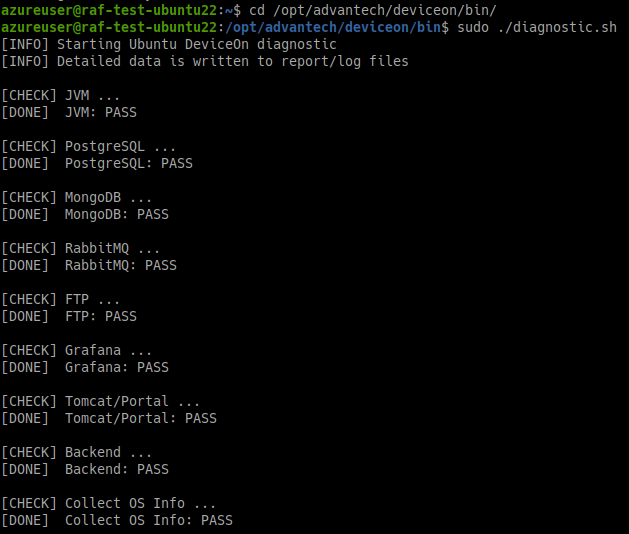
- Each check item displays:
[CHECK]start,[DONE]result. - If some passwords cannot be retrieved automatically, the script prompts clearly for input (for example: PostgreSQL, MongoDB, RabbitMQ, FTP).
- Characters are not echoed while entering passwords.
Output Files
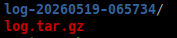
Each run generates the following in the current directory:
log-YYYYMMDD-HHMMSS/: full diagnostic data directory for this run (UTC time)log.tar.gz: compressed archive (containing thelog-...directory above)
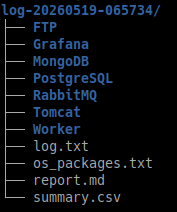
Key files inside the log-... directory:
report.md: human-readable diagnostic reportsummary.csv: PASS/FAIL summary of all check itemslog.txt: complete execution log- Service subdirectories (including config files, logs, and required exported data)
Troubleshooting Suggestions
- First open
report.mdand check the Details of FAIL items. - Then check
log/*.login the corresponding service directory. - If you need to provide data to the support team, just attach
log.tar.gz.
FAQ
1) Why must I use sudo?
The tool needs root privileges to read systemd service status, collect journals, and access some system and service files.
2) Why are packages installed at the start of execution?
The script checks for curl and ss:
- Installs
curlifcurlis missing - Installs
iproute2ifssis missing
3) Can I run it repeatedly?
Yes. Each run creates a new log-... directory and updates log.tar.gz.